06 January 2023

PROJECT #12a - MOTION BLUR, Pt. 1 (Shutter Priority)

PHOTOGRAPHY FINAL PROJECT 
Part 1 


RATIONALE:
To explore MANUAL functions of a camera, and gain control of camera settings.

PRIOR TO MAKING PHOTOS:
If you have a stand-alone camera that has manual function, use that camera. If your phone is your camera, download the following: 

iPhone (Links):
SLOW SHUTTER CAM (this $1.99 app will suffice)


Android:
Check your camera app to see if you have a 'PRO' or 'MANUAL' mode, then see me for suggestions. 

NOTE: If you are unable to acquire an app, please see me for other possibilities. Of course, you will not be penalized for not being able to acquire an app. 


DIRECTIONS:
1. Slow your shutter speed to a fraction of a second (1/60, 1/30, 1/8...)
2. With a partner, make the following photos TWICE.
3. Keep a record of what BOTH shutter speeds were while making each photo.
(On your site, you will be posting the shutter speed underneath each photo).
4. 


CAMERA MOVEMENT:
1. Panning - you move the camera in the same direction as your subject. 
2. Still - the camera is still but your subject is moving. 


THE GOAL:
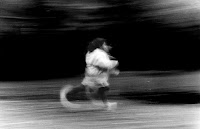
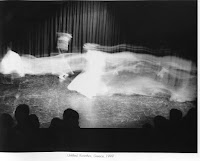
To make images that have subject matter that is in motion blur while ALSO containing something that is NOT BLURRED.

We need to be able to rest our eye ON SOMETHING THAT IS NOT BLURRED.

Note: If you have a DSLR camera w/an "S" setting...set it to that "S" setting. Choose the shutter speed you want. (This is called "SHUTTER PRIORITY," and the camera will adjust the other settings automatically.)


EXAMPLES TO GET YOU THINKING...


SHUTTER SPEED

16 December 2022

PROJECT #11: CLONES (Photoshop Layers Awareness)


TODAY IN CLASS: (4 points)
1. Make ONE practice image with 3+ different clones of your partner. 
2. Assemble the different images into one final image.
3. Post to your BLOG.
4. Drop to shared DRIVE.

@HOME FOR NEXT CLASS: (4 points)
1. Make two different sets of photographs (family/friend/yourself).
2. Assemble TWO images with THREE+ different clones each
3. Each final image must be a distinctly different setting/place. 
4. Bring photos to next class to begin processing and combining. 

NOTE: Direct your subject to do something different/odd/thought provoking for each of the separate photographs you make...make it something that is interesting and unexpected for the viewer. 

EXTRA CREDIT: If your clones give us a narrative of some sort, you will earn FOUR extra credit points. 

PAST STUDENT WORK:


DIRECTIONS: 
1. Placing your camera in ONE spot.
2. Do not move the camera. The background of each individual photo needs to match precisely.
3. Take multiple photographs with yourself in a different spot each time. 
4. Set the timer, or have someone carefully push the shutter button for each of the photos, if you wish. It  will look similar to this symbol in/on your camera:


Once the photos are taken...

4. Stack the images in Photoshop.
5. Erase the parts that are not needed from each layer so that the final compressed image contains you and your clones.

NOTE: Do not move the camera between photos. Even minimal changes in the camera position will distort perspective and light. 


EXAMPLES
Click on images for larger view.


Here are over-the-top examples by Martin Liebscher. CLICK HERE for his site


Here's a guy that does cloned video. Not what we'll do, but great anyway. CLICK HERE for more.


01 December 2022

10-MINI PROJECT #1 (Metaphor)

DIRECTIONS.
Make one (or more!) image for each of the words below:


-Hot / Cold

-Daydream / Nightmare


-Joy / Pain

-A pair of opposing words of your choice

-A second pair of opposing words of your choice.


Note: You are to make at least one photo to represent both the first and second word in the pairs - two photographs per pair. 


The image you make for each word will be a visual metaphor for that word. 
You are photographing an idea
What place/person/gesture/object/time of day/etc. will you 'use'  to photograph/represent the idea and notion of the word.

The photos will be used for a scored tutorial and image project during our next class.

Scoring: One point for each well-composed intentional image, for a total of 4 points

Enjoy the process. It's as important as the end result.