DIRECTIONS:
1. Do this outside at night, or in darkness.
2. Use a small light source (pen light/sparkler/phone screen on bright/etc.)
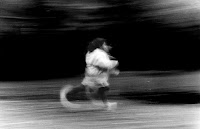
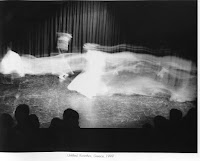
3. Slow your shutter speed to a very slow time (5sec, 1 sec, 30sec...).
4. Position the camera on something sturdy so it will not move during the open shutter time.
5. Have someone, or yourself, aim the light at the camera.
6. When ready, snap the picture (open the shutter) and write the word/phrase/something in the air with light source.
7. Start at "1" on the list.
8. Enjoy the process.
THE LIST:


Light writing APP for Android. CLICK HERE.
More light writing APPS. CLICK HERE.
SITES FOR REFERENCE:
A PDF guide to light writing. CLICK HERE.
Possible light tools. CLICK HERE.
Light writing image search. CLICK HERE.
How to light write. CLICK HERE.
Light graffiti. CLICK HERE.
Light writing on Tumblr. CLICK HERE.
Here is another way to make a photograph with light writing. CLICK HERE.
Pablo Picasso draws with light. CLICK HERE.More light writing APPS. CLICK HERE.
SITES FOR REFERENCE:
A PDF guide to light writing. CLICK HERE.
Possible light tools. CLICK HERE.
Light writing image search. CLICK HERE.
How to light write. CLICK HERE.
Light graffiti. CLICK HERE.
Light writing on Tumblr. CLICK HERE.
Here is another way to make a photograph with light writing. CLICK HERE.
Pixel Stick. CLICK HERE
Skeleton skateboarder. CLICK HERE.
HOW TO SHOOT LIGHT TRAILS HERE.
(Possibly) helpful videos for further clarification:
=